Most people use AI the same way they used Google in 2007 — a few words typed into a box, hoping for the best. It works well enough to become a habit. It does not work well enough to be useful for anything that actually matters.
The difference between a prompt that produces something genuinely useful and one that produces something you have to rewrite entirely is mostly structure. Not magic words. Not special techniques. Just the habit of telling the model what it needs to know before asking it to do something.
What a Prompt Actually Is
A prompt is a specification. When you ask a person to do something, they bring years of shared context — they know your organisation, your preferences, your standards, what you mean when you say “keep it short.” An AI has none of that unless you provide it. Every prompt is starting from scratch.
The practical implication is that vague prompts produce vague outputs, and specific prompts produce specific outputs. This is not a limitation of AI — it is just how communication works. The AI is doing exactly what you asked. The problem is usually that what you asked was not what you meant.
The Template
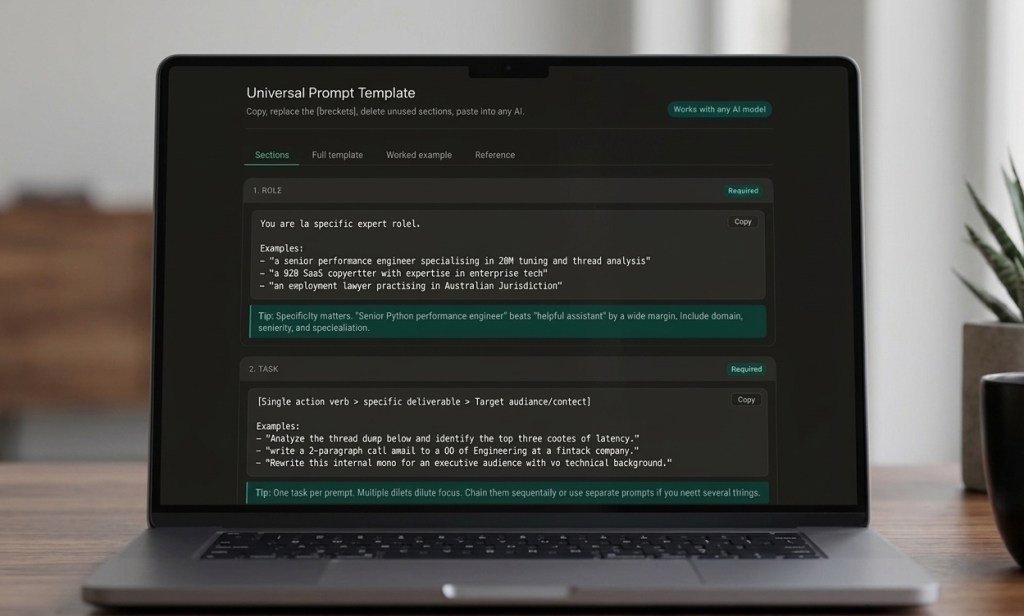
I put together a structured prompt template that covers every element a good prompt needs — role, task, context, requirements, constraints, examples, output format, tone, and reasoning instructions. Each section is explained, with worked examples and a reference table showing when to include each part.
It is built as an interactive tool. You can copy individual sections, copy the full template, or use the worked example directly — a fully filled-in prompt for thread dump analysis that you can swap your own content into.
It works with any AI model — Claude, ChatGPT, Gemini, or anything else. The structure is model-agnostic.
How to Use It
The template has four tabs. Start with Sections to understand what each part does. Move to Full template when you are ready to build a prompt — copy it, fill in the brackets, delete the sections you do not need. The Worked example shows a complete prompt for a real technical task if you want to see what a finished version looks like. The Reference tab has a quick summary of when each section is worth including.
The minimum viable prompt for most tasks is three sections: Role, Task, and Output format. That alone will produce noticeably better results than an unstructured question. Add Context for anything involving your specific situation. Add Requirements and Constraints when the defaults are wrong. Add Reasoning instruction for complex analysis where you want the model to think before it responds.
A Note on the Worked Example
The example in the template is a prompt for analysing a Java thread dump — a real task from performance engineering work. I left it in because it demonstrates the full structure in a way that abstract placeholders cannot. Even if you have no interest in thread dumps, it is worth reading once to see how the sections fit together in practice.
The same structure works for anything: writing tasks, research, code review, data analysis, legal drafting, medical summarisation. The sections stay the same. Only the content changes.
These are personal observations and opinions. Almost Sunny is a personal blog.
If something here was worth your time, you can buy me a coffee — it genuinely helps keep this going. And if you’d like new posts straight to your inbox, no spam, no schedule pressure, subscribe here.
 Almost Sunny
Leave a comment